Vostro 3750 has three ways to change desktop resolution and related settings. Which one to use? Intel, Nvidia, or Window
Posted: Sat Feb 07, 2026 5:44 pm
Originally posted here: https://www.dell.com/community/en/conve ... a8de2e5372
Hi,
I'm a little confused why my laptop (Vostro 3750) comes with three different control panels for changing the dual-screen layout/positioning, resolutions, video brightness, color levels, gamma, contrast, image enhancement, 3D (gaming) settings, etc.
Which one should I use? Does it matter? Are they colliding with each other? (Are they in conflict?)
What would happen if I set all three to different settings? Which one "wins" (has priority)?
How do they even work? Do they all change the same set of registry keys to let Windows know where / how bright I want my screens, or is it far more complicated than that? Would I be shooting myself in the foot battery-lifetime-wise by using Nvidia's control panel and thus the dedicated video card, or does it also control the Intel HD 3000 chip's settings?
Usage: I watch videos and play games. (The movies are rendered by the Intel chip, but my games -- if I'm lucky -- are rendered by the dedicated Nvidia gfx card.)
Below are some screenshots I took and then shoddily edited together in Paint.
Intel's graphics and media control panel:
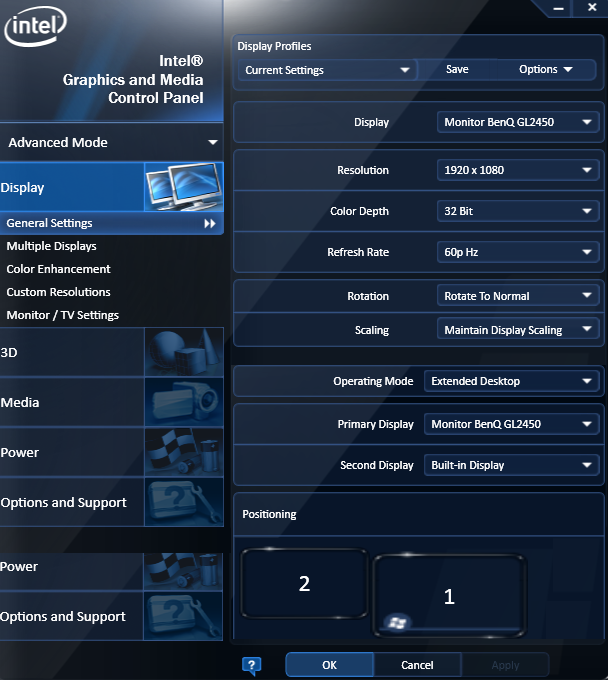
http://static.3ice.hu/images/Dell-Vostr ... -Intel.png
Nvidia's control panel:

http://static.3ice.hu/images/Dell-Vostr ... Nvidia.png
or Windows' screen resolution control panel item:
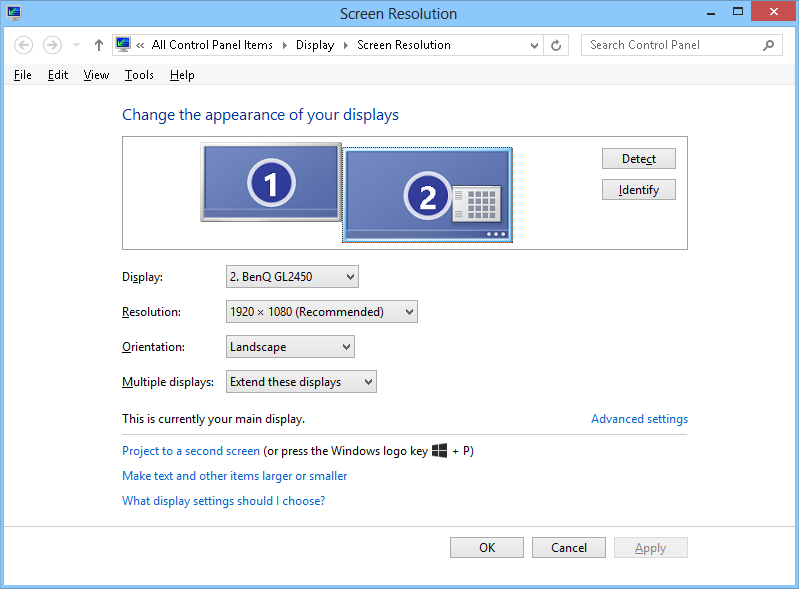
http://static.3ice.hu/images/Dell-Vostr ... indows.png
Hi,
I'm a little confused why my laptop (Vostro 3750) comes with three different control panels for changing the dual-screen layout/positioning, resolutions, video brightness, color levels, gamma, contrast, image enhancement, 3D (gaming) settings, etc.
Which one should I use? Does it matter? Are they colliding with each other? (Are they in conflict?)
What would happen if I set all three to different settings? Which one "wins" (has priority)?
How do they even work? Do they all change the same set of registry keys to let Windows know where / how bright I want my screens, or is it far more complicated than that? Would I be shooting myself in the foot battery-lifetime-wise by using Nvidia's control panel and thus the dedicated video card, or does it also control the Intel HD 3000 chip's settings?
Usage: I watch videos and play games. (The movies are rendered by the Intel chip, but my games -- if I'm lucky -- are rendered by the dedicated Nvidia gfx card.)
Below are some screenshots I took and then shoddily edited together in Paint.
Intel's graphics and media control panel:
http://static.3ice.hu/images/Dell-Vostr ... -Intel.png
Nvidia's control panel:
http://static.3ice.hu/images/Dell-Vostr ... Nvidia.png
or Windows' screen resolution control panel item:
http://static.3ice.hu/images/Dell-Vostr ... indows.png